Put your systems and knowledge to work with AI agents.
Connect Cortex to your APIs, documents, and data. Agents answer customers, act in your systems, and report on what changed.
Try it out here
Three ways an agent starts
An agent starts when a person asks, a schedule runs, or another system sends a request. These examples follow an insurance team.
Answer and act in the conversation
Put customer chat on your website or app, or give staff an internal assistant. The agent cites documents, calls APIs, takes payments and signed forms in chat, and pauses for approval before sensitive actions.

Your claim 48213 is approved.Policy §4.2
Payment scheduledApproved
Get a report on schedule
Run an agent nightly or weekly without anyone waiting for it. It reads datasets, compares periods, writes a report or raises an alert, and stays within a daily cost budget.
Nightly claims report
Changes since yesterday · 3 alerts
Daily budget48% used
Handle requests from your systems
A webhook or API call sends a typed payload to the agent. It reviews a document or application and returns typed output the calling system can use.
{
  "decision": "refer",
  "risk": 0.31,
  "reasons": [
    "claim in the last 12 months"
  ]
}Inside a run
Follow one customer question from start to finish. A schedule or another system can also start a run.
- 01 · Knowledge
Answers with a source
The agent searches documents your operators uploaded and cites the policy passage behind its answer.
Does my policy cover a windscreen replacement?
SearchingMotor policy wording.pdfClaims handbook.pdfFAQ.md
Motor policy wording.pdf§4.2 · page 14
Glass damage to the windscreen, windows or sunroof is covered. Replacement is covered in full when fitted by an approved repairer; otherwise the policy excess applies.Yes. Windscreen replacement is covered in full with an approved repairer.Motor policy §4.2, p.14
- 02 · Tools
Calls your systems
The agent checks the customer's policy through your Policy API. Tool calls use defined fields for your APIs, MCP servers, or tables.
// request
"policyId": "P-48213",
"include": ["glassCover", "excess"]
Policy APIyour system · REST
// reply
"glassCover": "full",
"excess": "none"
- 03 · Approvals
Waits for approval
A sensitive action pauses the run. A person approves it in Control Center, then the run continues.
Book windscreen replacement · policy P-48213Waiting for approval
Sent to R. Haddad · Claims lead
Approved by R. Haddad · 09:41Resumed
Your windscreen replacement is booked. The repairer will contact you within two business days.
- 04 · Trace
Shows every step
Control Center shows what the agent read and called, who approved, how long each step took, and token use against the daily budget.
- Run startedchat · website widget09:28:04
- Read 3 passagesMotor policy wording.pdf · 2 more0.4 s
- Called Policy APIpolicy P-482130.2 s
- Waited for approvalR. Haddad approved12 min
- Replied2 messages · 1 citation1.1 s
4,120 tokens · within today's budget
Change the agent without a software release
Your operators manage knowledge, tools, and behavior in the Control Center. Changes do not require a software release.
- 01
Answers with sources
Add PDF, Word, HTML, and Markdown files so agents can answer with citations. Use the retrieval tester to check what they find.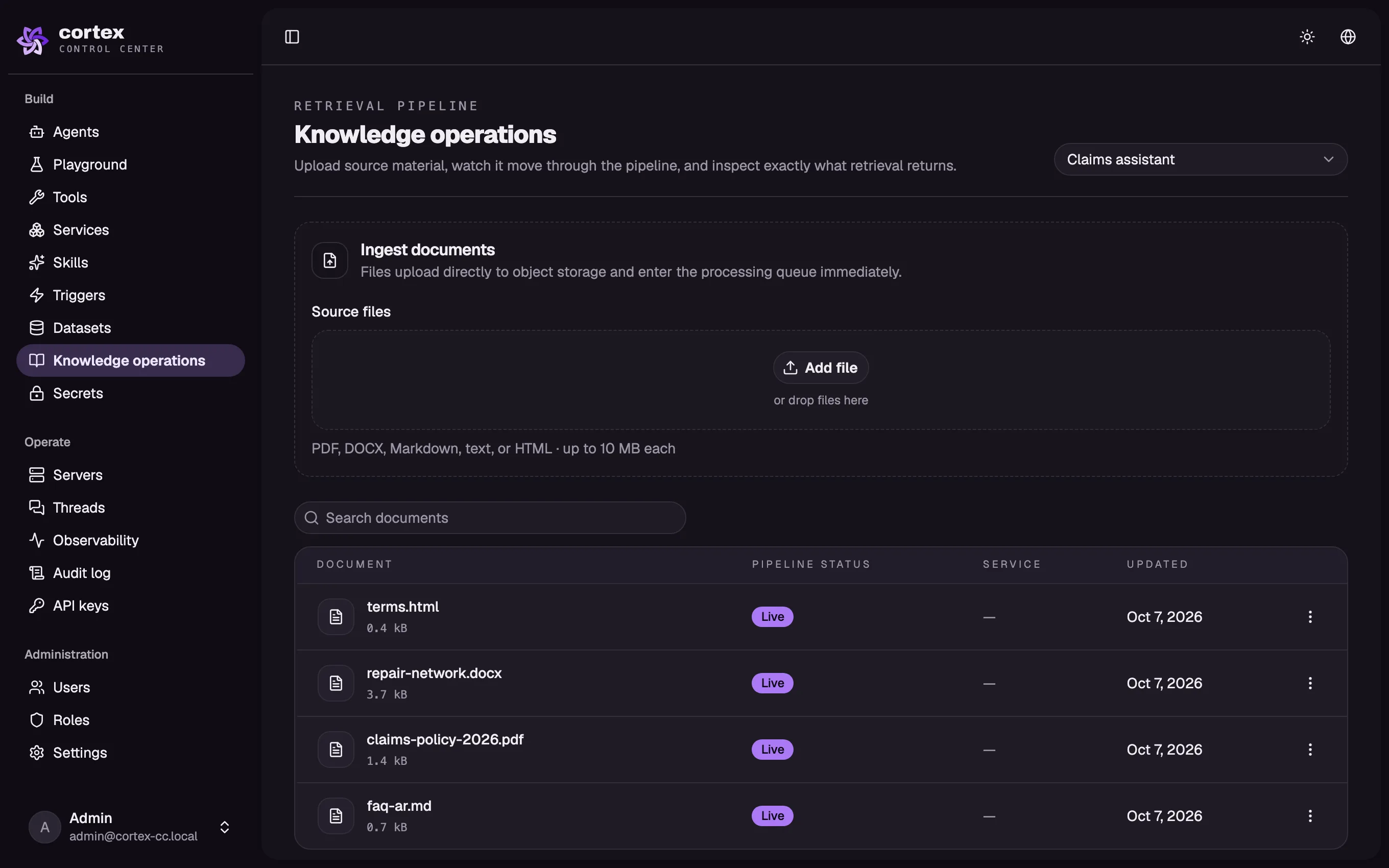
- 02
Tools for your systems
Connect REST or SOAP APIs, MCP servers, and your own tables through dataset hosts. Reads from those tables follow the user's permissions.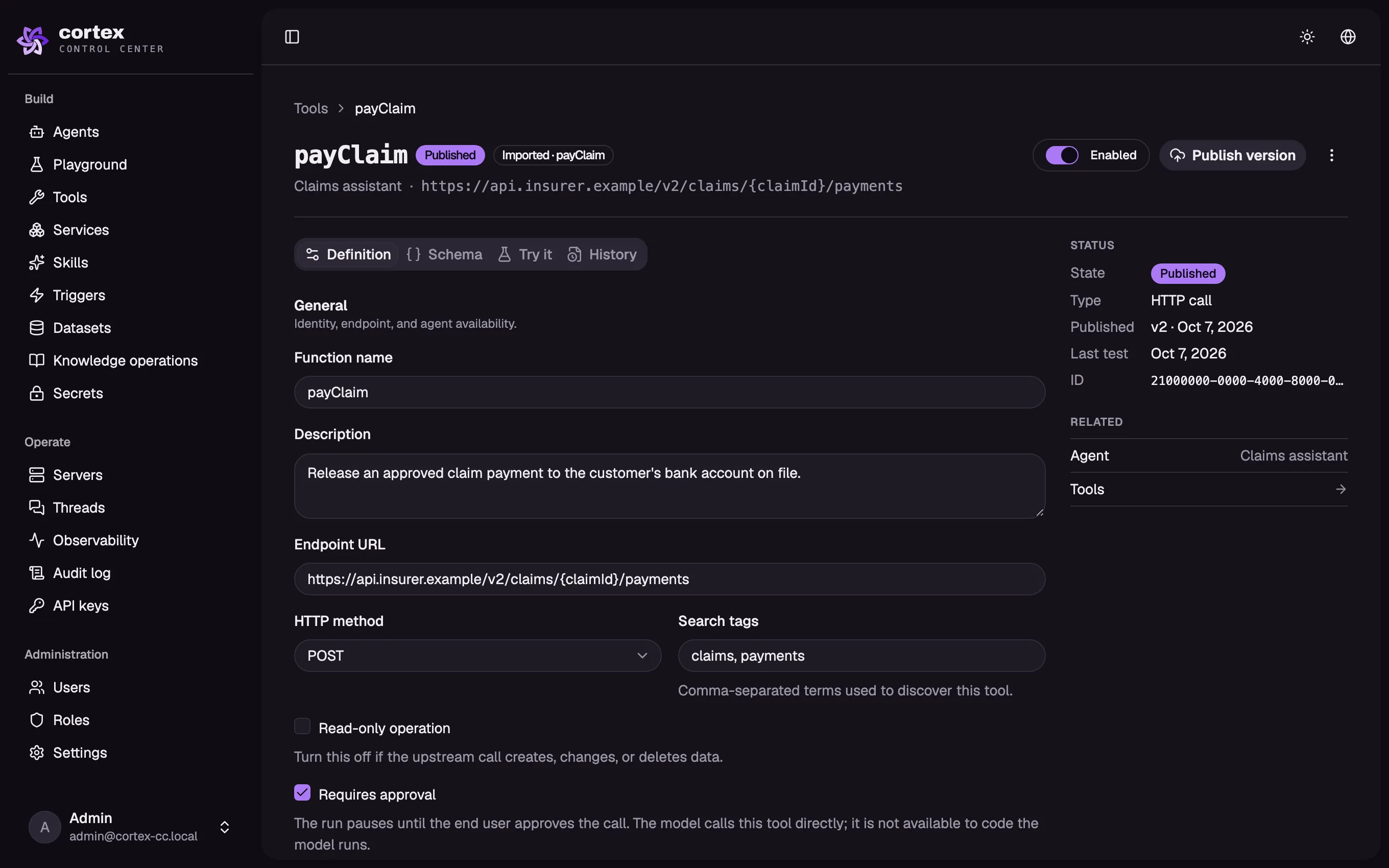
- 03
Skills when needed
Give an agent skills for specific work. Cortex loads them only when they apply.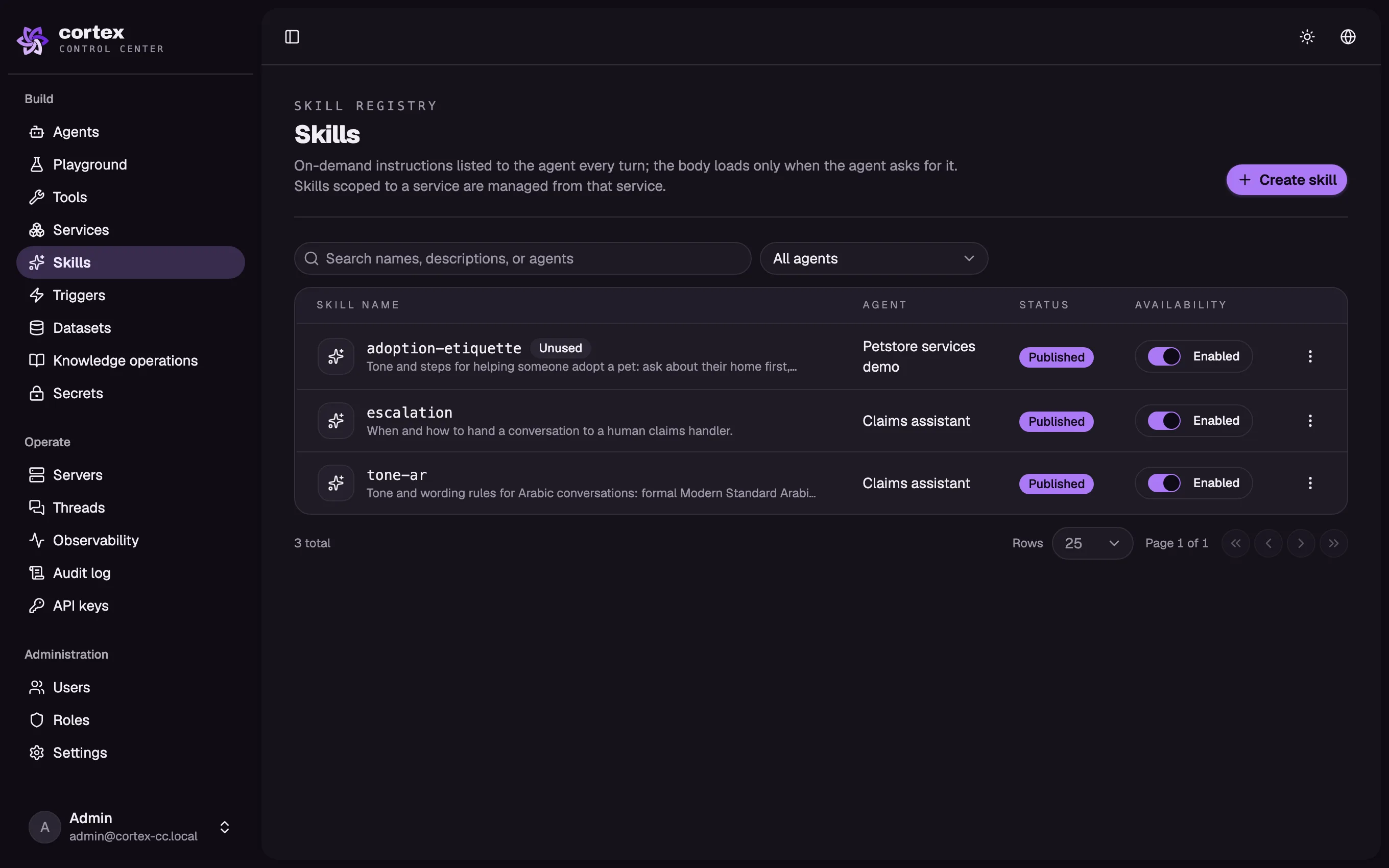
- 04
Publish with a way back
Publish a version when it is ready. Roll back with one click if you need to.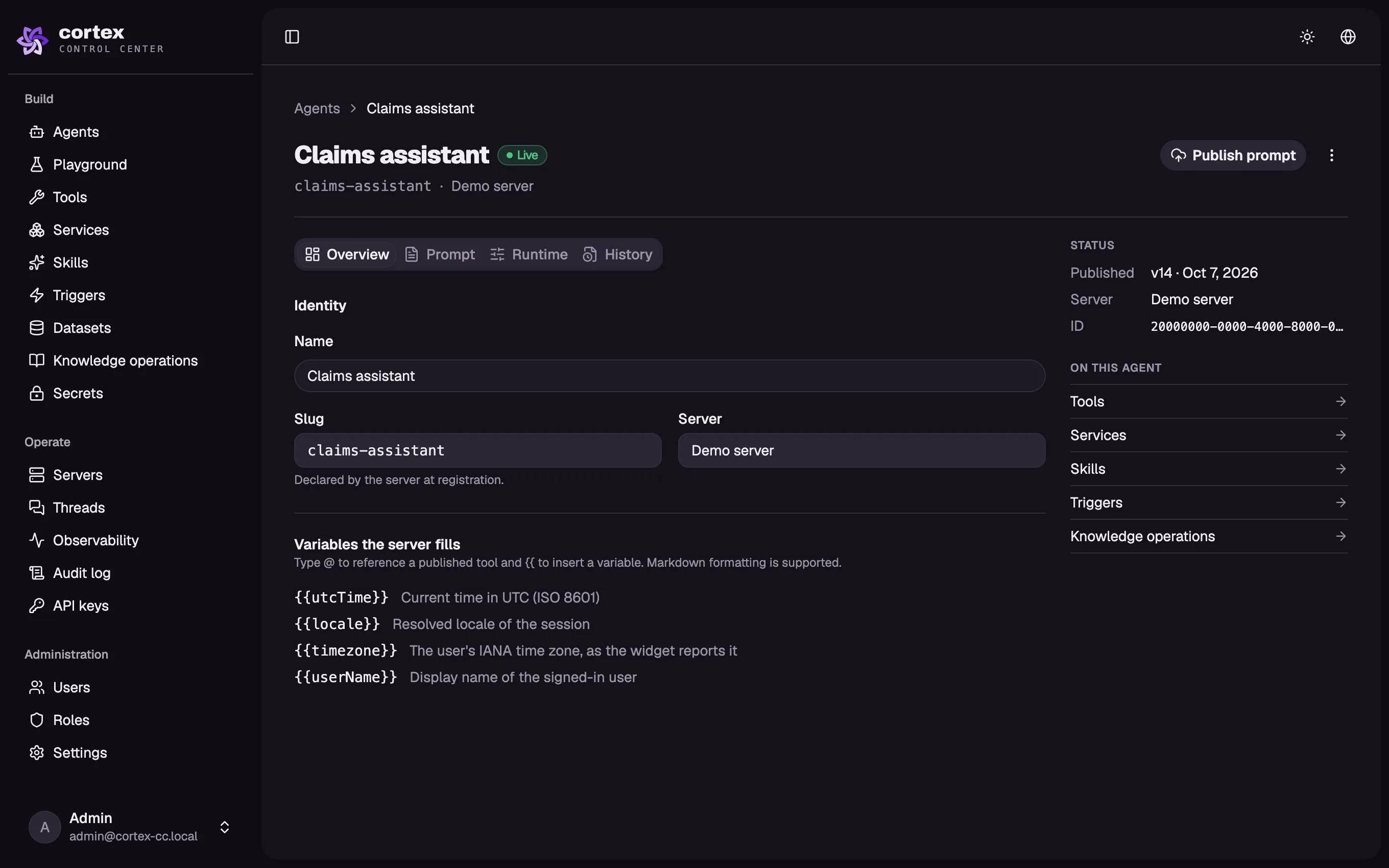
- 05
See what happened
Inspect every run, tool call, and dataset read. A request ID ties the records together.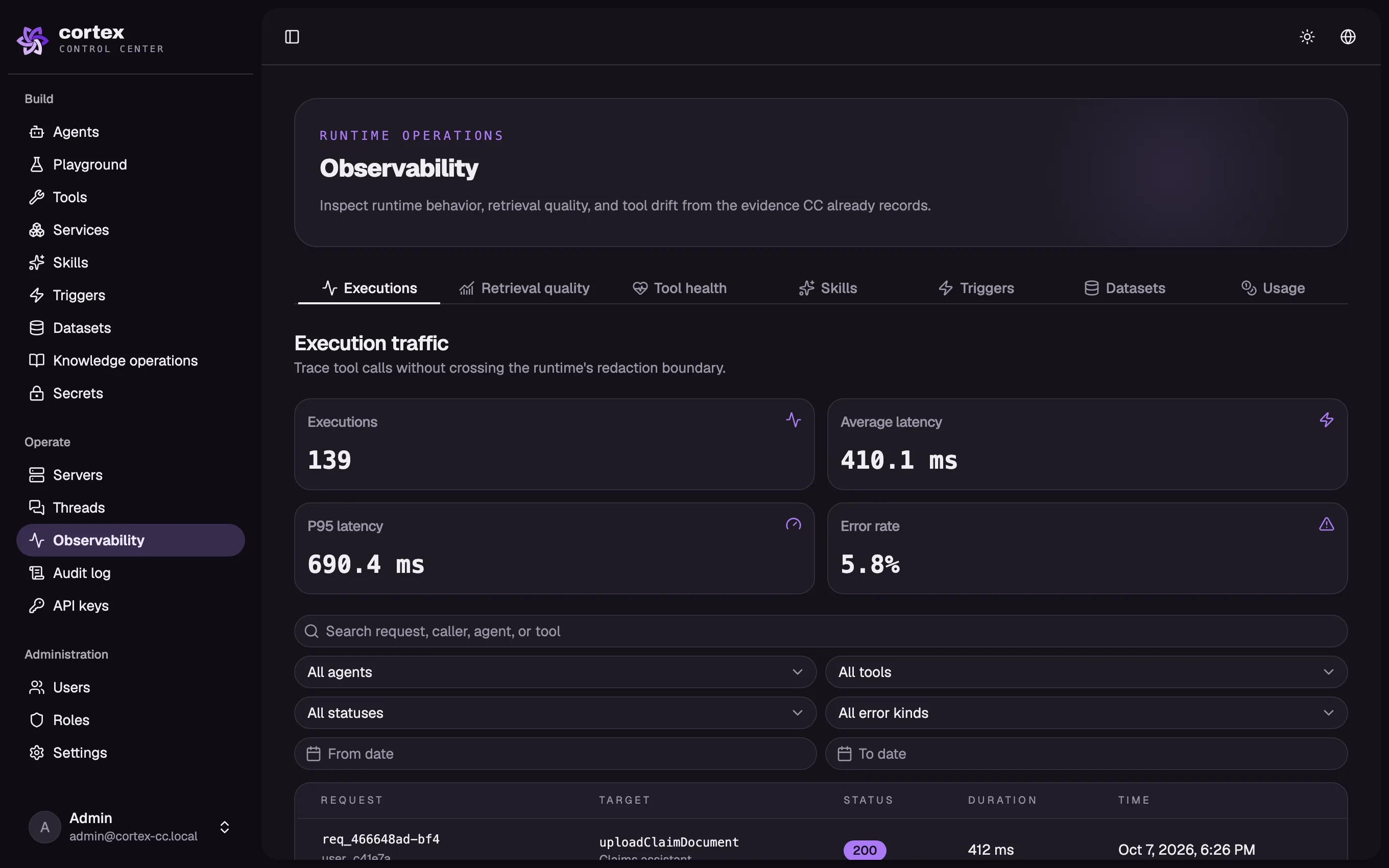
Run Cortex where it fits
Run a licensed copy on your servers or let Cortex host it. Both options use the same Control Center and chat widget.
Keep the deployment in your network
On your serversRun the licensed Docker images with one Compose file, your PostgreSQL database, and your object storage. Use any OpenAI-compatible model, including an open-weight model inside your network.
- Your database and object storage
- Your choice of compatible model
- Inside your network
Start without running servers
Hosted by CortexCortex runs the platform for you while your APIs and data stay where they are. You can move to your own servers later.
- No servers for you to run
- The same Control Center and widget
- Move to your servers later
Set the limits your agents follow
Control who can use an agent, what it can reach, and which actions need a person to approve them.
Data stays with you
Your source data stays in your systems. Cortex accesses it through the connections and permissions you set.
Secrets stay out of responses
Secrets are encrypted at rest with AES‑256‑GCM, shown once, and referenced by name. Cortex removes them from tool responses before the model reads those responses.
Use your identity rules
Connect your identity provider through JWKS, a shared-secret JWT, or a custom verifier. Tools can forward the user's token so your APIs enforce their own rules.
Limit agent-written code
Agent-written code runs in an isolated sandbox with CPU and memory limits. It can reach outside only through tools you allow.
Pause for approval
Mark a tool as requiring approval and the agent pauses until your team confirms the action.
Trace and reverse changes
Fine-grained roles and an append-only audit log record who changed what, before and after. Every call has a request ID, and you can roll back a published version.
Questions buyers ask first
Start with one process. We can show you what an agent would do with it.
Do we need developers to build an agent?
Your operators can build and change agents in the Control Center after short training. Or the Cortex team can build the agent and connect it to your systems.
Which AI models can we use?
On your servers, Cortex works with any OpenAI-compatible model. That includes an open-weight model running inside your network.
Does Cortex work in Arabic?
Yes. The widget, Control Center, and services support Arabic and English, with right-to-left display. The quality of answers retrieved from Arabic documents depends on the embedding model you choose.
Where does our data go?
Your APIs and source data stay where they are. If you run Cortex on your servers, nothing in that deployment reports back to Cortex.
Can an agent take payments?
Yes. An agent can take payments and signed forms inside a chat through connected tools. You can require a person to approve sensitive actions before they happen.
How long until the first agent is live?
A first agent for one process typically takes weeks, not months. The exact time depends on the process and the systems it needs to use.
How is Cortex priced?
Pricing is per deployment, through a license or subscription. Tell us about your case so we can discuss the right option.
Show us the work you want done
Tell us about one process. We'll reply within one business day and show you a demo.
WhatsAppMessage us directly · +971558877450↗Or email us hello@getcortex.sh